
Digitise with SharePoint
Contract Management in SharePoint: Ditch Excel
Still tracking contracts in Excel? Learn how to build a contract management system in SharePoint — with automated alerts, approval workflows, and flat annual pricing.

Raphael Buchberger

Last quarter, a mid-sized manufacturing company in Bavaria missed the renewal window on a key supplier contract. The terms auto-renewed at a 22% price increase — because the contract expiration date was buried in row 347 of a shared Excel file that three people had edited independently. Total cost of that oversight: €84,000 per year, locked in for another 24 months.
This is not an unusual story. If your organisation manages contracts in Excel spreadsheets, shared drives, or email attachments, you are running a system designed to fail. Not today, maybe not next month — but eventually, a deadline slips, an approval gets lost, or a version conflict leads to the wrong terms being signed.
The good news: you likely already have the infrastructure to fix this. If your company runs Microsoft 365, SharePoint can become your contract management system — but not with out-of-the-box features alone. Here is what it takes to move from spreadsheet chaos to structured contract management, what SharePoint can and cannot do by itself, and how to close the gaps without a six-figure IT project.
Ready to skip the reading and see it in action?
Explore the skybow Contract Management →
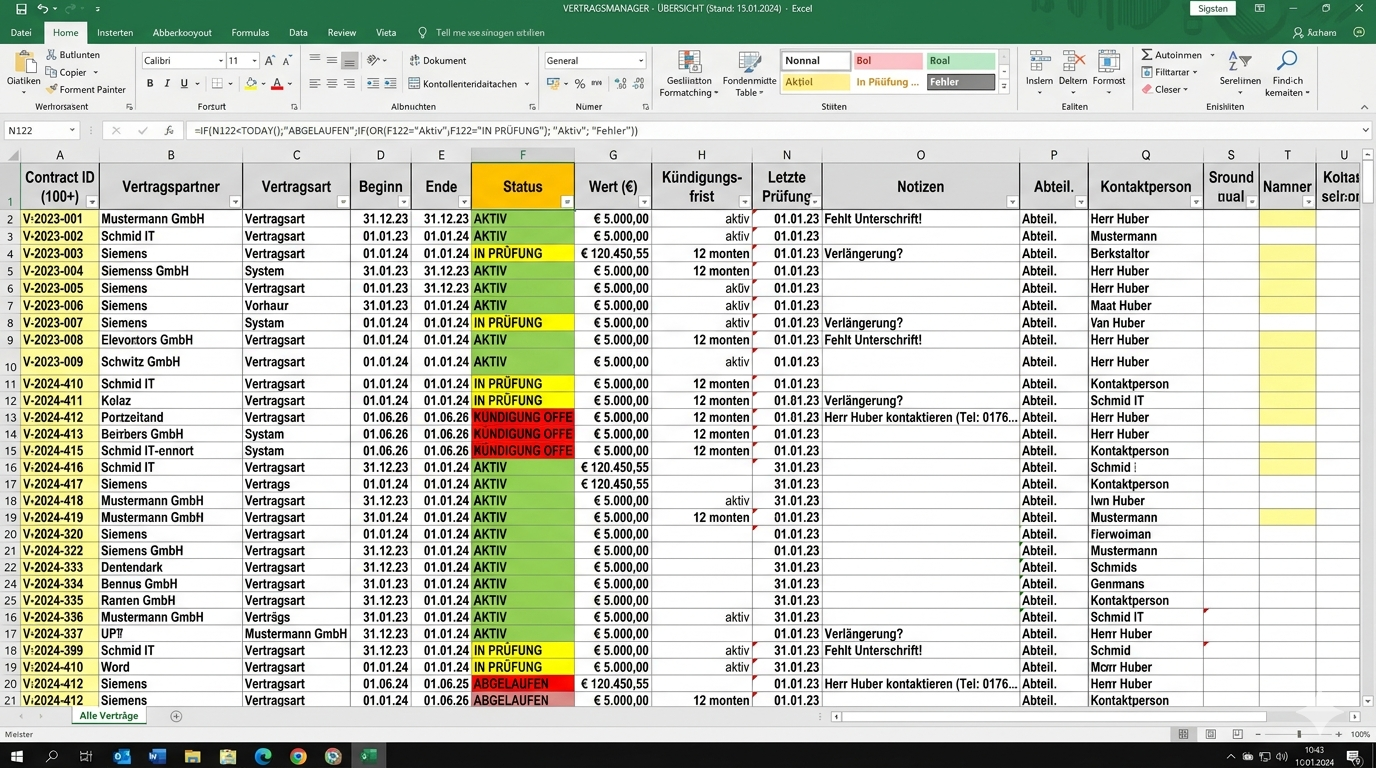
The Hidden Cost of Managing Contracts in Excel
Excel is brilliant for calculations. It is terrible for managing living documents with deadlines, approvals, and compliance requirements. Yet according to a 2024 World Commerce & Contracting study, over 60% of mid-sized companies still use spreadsheets as their primary contract tracking tool.
Here is why that costs more than you think.
Missed Deadlines You Only Discover When It’s Too Late
Excel does not send you an email 90 days before a contract expires. It does not flag that your SaaS vendor’s auto-renewal window closes next Friday. It just sits there — a static grid of data that requires someone to actively check it.
The result: contracts auto-renew at unfavourable terms, negotiation windows close, and your procurement team is left scrambling to explain why costs went up 15% this quarter.
No Audit Trail, No Accountability
Who changed the contract value from €50,000 to €55,000? When was the termination clause updated? In Excel, these questions have no reliable answer. Even with SharePoint’s version history on the file level, you cannot track which cell was changed by whom and why.
For regulated industries — finance, healthcare, manufacturing — this is not just inconvenient. It is a compliance risk.
The Version Control Nightmare
"Contract_Overview_FINAL_v3_RB_edit_FINAL2.xlsx" — sound familiar? When multiple stakeholders work on contract data, Excel files multiply. The question "which version is the current one?" becomes a weekly ritual. And the answer is sometimes: nobody knows for certain.
Why SharePoint Alone Isn’t Enough
At this point you might think: "We already have SharePoint. Can we not just use a document library and a few list columns?"
You can. And it will get you about 40% of the way there.
What SharePoint Lists and Libraries Can Do
SharePoint gives you a solid foundation. You can store contract PDFs in a document library with metadata columns (vendor name, contract type, value, start date, end date). You can create filtered views — show me all contracts expiring in the next 90 days. You can set basic permissions so only authorised people access sensitive agreements.
For a team managing 20-30 contracts, this might be enough.
Where the Gaps Start: No Alerts, No Workflows, No Forms
Once you go beyond basic storage, SharePoint’s native capabilities hit their limits quickly:
No automated alerts. SharePoint can send simple notifications when a list item changes, but it cannot send "90 days before expiration" warnings based on date calculations. You would need Power Automate flows for that — which means a separate tool, separate licensing, and someone who knows how to build them.
No approval workflows. A new vendor contract needs sign-off from Legal, Finance, and the department head? SharePoint lists have no built-in multi-step approval. Again, Power Automate or a custom solution.
No proper input forms. SharePoint’s default list forms are functional but rigid. You cannot create a guided contract intake form that adapts based on contract type, pre-fills vendor data, or validates input before submission.
No financial dashboards. Total contract value by department? Annual spend by vendor? SharePoint lists can sort and filter, but they are not built for aggregated financial reporting.
The "Good Enough" Trap
Many teams start with a SharePoint list thinking "this will do for now." Three years later, they have 400 contracts in a list with 30 columns, no workflows, manual reminders in Outlook calendars, and the same version control issues they had in Excel — just in a different tool.
The gap between "SharePoint as a file store" and "SharePoint as a contract management system" is where most organisations get stuck.
What a Proper SharePoint Contract Management System Looks Like
The difference between a SharePoint list and a contract management system is not the data — it is the automation, the workflows, and the user experience around that data. Here is what a fully functional setup includes.
1. Central Contract Repository — One Place, Every Contract
Every contract lives in one system. Not in someone’s email, not on a local drive, not in a "Contracts" folder that only the Legal team knows about. A structured repository with standardised metadata: vendor, contract type, value, currency, start date, end date, renewal type, owner, and status.
This sounds basic, but it eliminates the single biggest problem: "Where is that contract?"
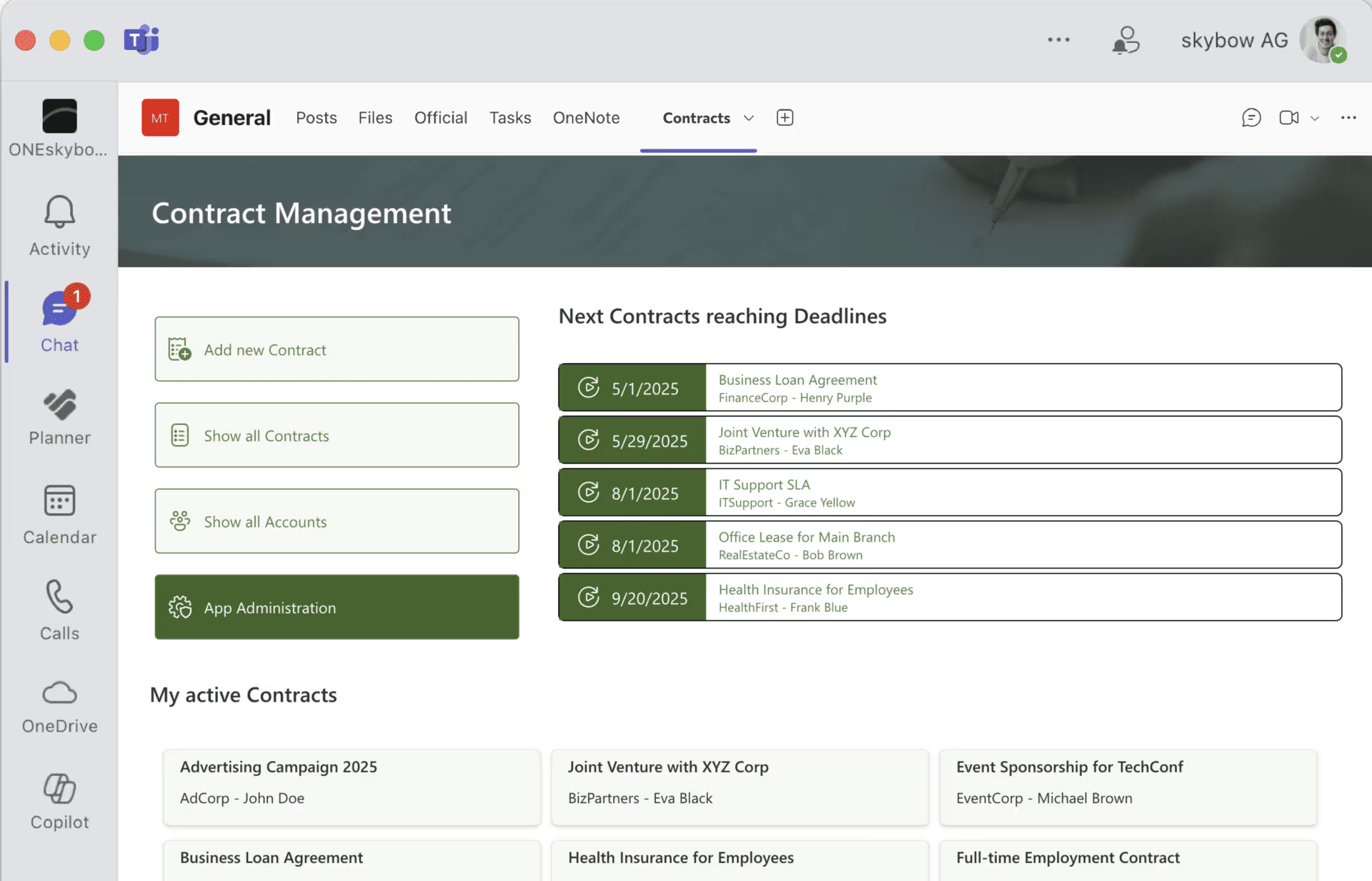
2. Automated Renewal Alerts Before Deadlines Hit
The system sends alerts automatically — 90 days, 60 days, 30 days before expiration. Not a generic "item changed" notification, but a targeted email to the contract owner with the contract name, vendor, expiration date, and a direct link to take action.
For auto-renewing contracts, the alert goes out before the opt-out window closes. For fixed-term contracts, the alert triggers the renewal negotiation process. No manual calendar entries. No "I thought someone else was tracking this."
3. Approval Workflows Without Email Chains
New contract? Route it to Legal for review, then to Finance for budget approval, then to the department head for sign-off. Each step is tracked, timestamped, and documented. If someone rejects, the contract goes back with comments — not as an email reply that gets buried in someone’s inbox.
This is where organisations save the most time. A typical contract approval that takes 2-3 weeks via email can be reduced to 3-5 days with structured workflows.
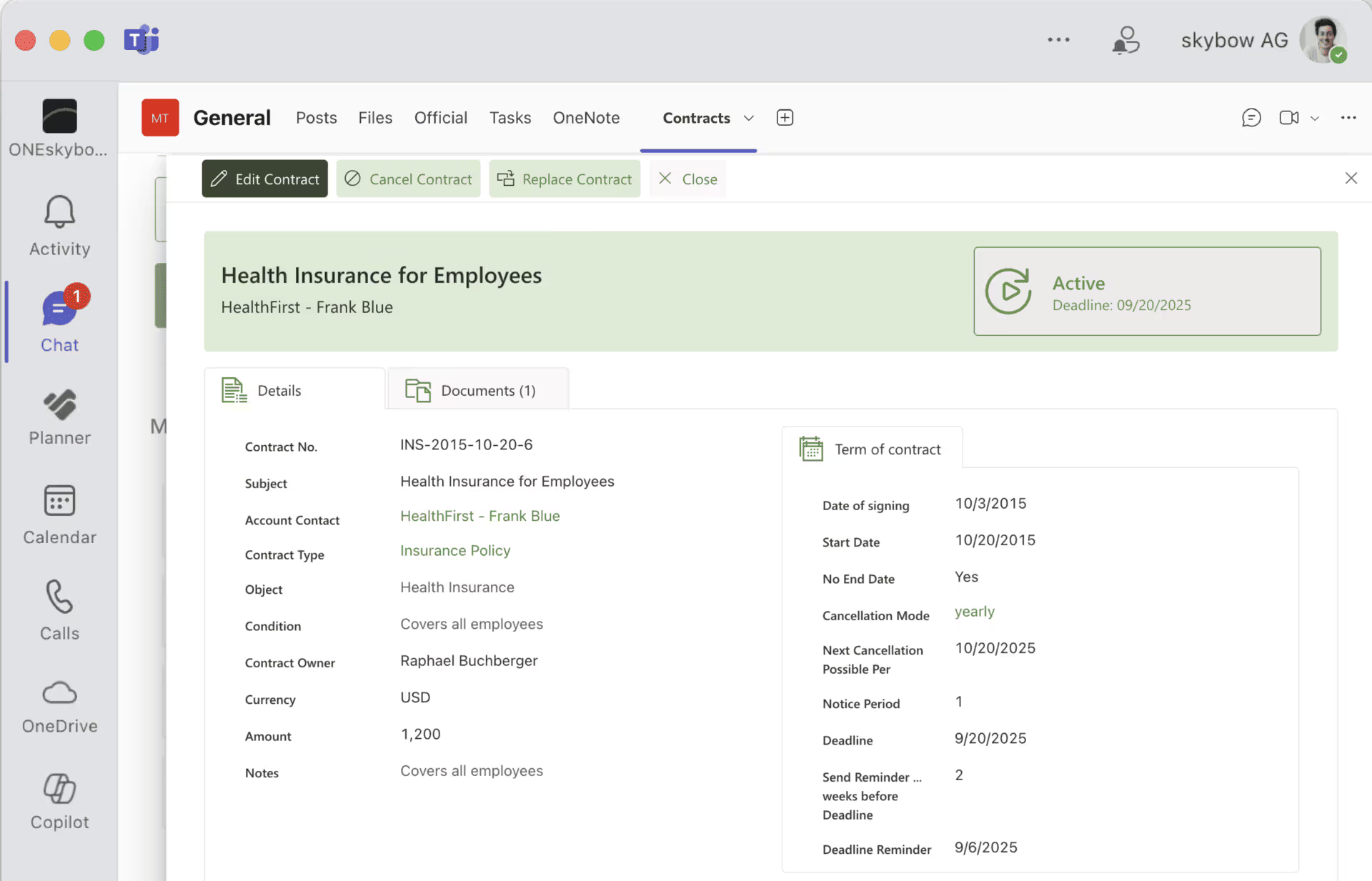
4. Financial Tracking and Budget Oversight
See your total contract value by department, vendor, or contract type. Track annual commitments against budget. Spot contracts that are significantly over or under their initial estimates. This turns contract data from a legal record into a financial planning tool.
This is exactly what skybow Contract Management does — built directly inside SharePoint, starting at 1,800 USD/CHF/EUR per year. No separate system, no new login for your team.
Build vs. Buy vs. Extend: Your Three Options
You have decided that Excel is not working and basic SharePoint is not enough. What now? You essentially have three paths.
Option A: Custom .NET Development
Hire a development agency to build a bespoke contract management system on SharePoint. Full control over every feature. Exact match to your processes.
The reality: 6-12 months of development. €50,000-200,000+ in project costs, depending on complexity. Ongoing maintenance costs because every SharePoint update might break something. Developer dependency — when the agency moves on, you need new developers who understand the code.
Best for: Large enterprises with unique regulatory requirements and a dedicated IT team.
Option B: Standalone CLM Software
Tools like DocuSign CLM, Ironclad, or ContractPodAi. Purpose-built for contract lifecycle management. Feature-rich, polished interfaces.
The reality: Separate system outside Microsoft 365 — your team needs another login, another interface. Per-user licensing that scales quickly: at $25-50 per user per month, a 50-person team costs $15,000-30,000 per year. Data lives outside SharePoint, so your Microsoft 365 security and compliance setup does not apply. Integration with SharePoint requires additional configuration.
Best for: Legal-heavy organisations that manage thousands of contracts and need features like AI-assisted clause analysis or e-signature workflows.
Option C: Extend SharePoint with a No-Code Solution
Add a contract management layer directly on top of SharePoint. Your data stays in SharePoint. Your team stays in the interface they already know. You get the forms, workflows, alerts, and dashboards that SharePoint alone cannot provide — without writing code.
The reality: skybow Contract Management follows this approach. Deployed in days, not months. Pricing starts at 1,800 per year (USD/CHF/EUR) for up to 50 users — compare that to €15,000+ for a standalone CLM tool at similar user counts. Custom fields, approval workflows, automated alerts, and financial tracking are included. The Semi Customized plan (3,600/year for 200 users) adds custom workflows and branded UI. Fully Customized (7,500/year, unlimited users) includes external tool integration and 5 days of setup support.
Best for: Organisations already on Microsoft 365 that want contract management without adding another system or another line item per user.
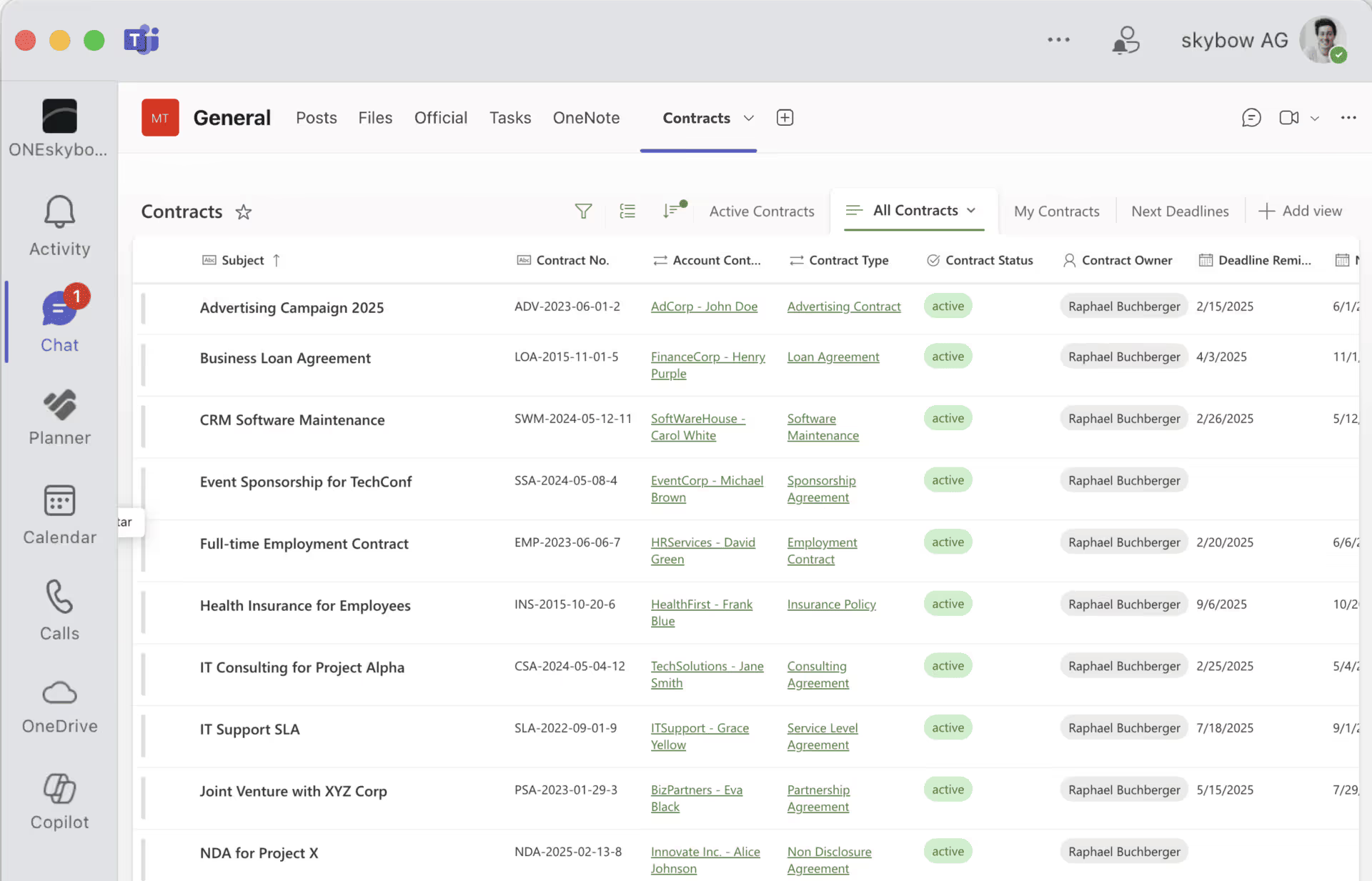
Getting Started: From Excel Chaos to Structured Contracts
If you are ready to move beyond spreadsheets, here is a practical starting point — regardless of which solution you choose.
Step 1: Audit Your Current Contract Landscape
Before you build anything, know what you have. Gather all active contracts from Excel files, shared drives, email inboxes, and filing cabinets. Create a simple inventory: vendor name, contract type, value, start date, end date, owner.
Most organisations discover they have 30-50% more active contracts than they thought. That discovery alone often justifies the move to a proper system.
Step 2: Define Your Workflow — Who Approves What?
Map your approval process. For a standard vendor contract: who initiates? Who reviews for legal compliance? Who approves the budget? Who signs? Draw this out — even on paper. A typical mid-sized company has 2-4 approval steps depending on contract value.
This workflow becomes the blueprint for your automation, whether you build it in Power Automate, custom code, or a no-code tool like skybow.
Step 3: Set Up Alerts and Dashboards
Start with the highest-impact automation: expiration alerts. Configure notifications at 90, 60, and 30 days before each contract’s end date. Then build a simple dashboard showing total contracts by status (active, expiring soon, expired, in approval).
These two features alone — alerts and a dashboard — eliminate the majority of the "missed deadline" and "no overview" problems that make Excel so dangerous for contract management.
See how skybow Contract Management handles all three steps →
Stop Losing Money to Lost Contracts
The shift from Excel to a structured contract management system is not a technology project — it is a business decision. Every missed renewal deadline, every approval stuck in an email chain, and every hour spent searching for "the right version" has a real cost.
Three things to take away from this post: first, Excel and basic SharePoint lists are not designed for contract lifecycle management — they lack alerts, workflows, and audit trails. Second, you do not need a standalone CLM tool that costs €15,000+ per year and lives outside your Microsoft 365 environment. Third, extending SharePoint with a no-code solution like skybow Contract Management gives you the features of a dedicated CLM system at a fraction of the cost, with your data staying exactly where your IT team wants it — inside SharePoint.
If your organisation manages more than 50 contracts and you are still working from spreadsheets, the question is not whether to move to a proper system. It is how much the next missed deadline will cost you.
You want to create your next SharePoint project faster and easier with low-code?
Read more


Let's talk about your workflows
We know the feeling of wanting to get started straight away. Let's create the perfect set-up together.
Ads
Ad-1

Ad-2

Ad-3

Ad-4

Ad-5

Ad-6
